
Changed your phone number, email address, address or opening hours? Your details usually appear in more places than you’d expect, and one missed spot can send a customer to an old number.
1. Find every place they appear
Common places on a website are:
- The header, often as a phone number or a call button.
- The footer, which shows on every page.
- Your Contact page, including any map.
- Your About page, terms and privacy policy.
- Form confirmation messages and emails.
- PDFs such as brochures or price lists.
To find the rest, open each page and press Ctrl + F (Windows) or Cmd + F (Mac), then type part of the old number or email. You can also search your whole site by adding /?s= and the old detail to the end of your web address, for example yourbusiness.co.nz/?s=09 123 4567.
2. Update the footer and header
The header and footer are edited once for the whole website, not page by page.
- In Elementor, go to Templates, then Theme Builder, and open Footer (or Header).
- Hover over the one used on the Entire site and click Edit with Elementor.
- Click the phone number, email or hours, and type the new details in the panel on the left.
- If the detail is a link, such as a phone number you can tap to call, change the Link too.
- Click Update.

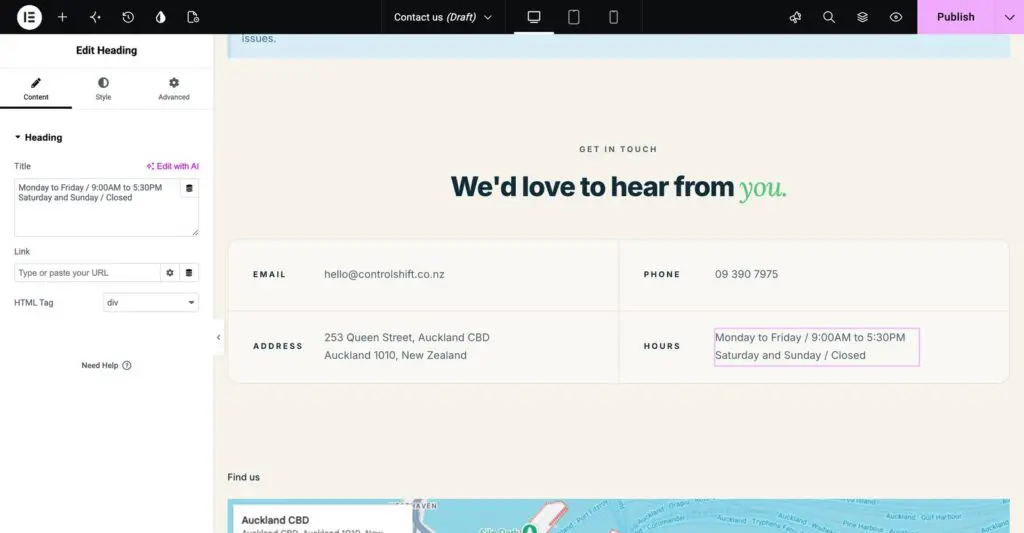
- Divi: go to Divi, then Theme Builder, and edit the global header or footer.
- WPBakery and other themes: look under Appearance, then Customise or Widgets.
3. Update your pages
Edit your Contact page and any others from your list, the same way you’d edit any text. Moved premises? Update the map on your Contact page too: here’s how to add or change a Google Map.
4. Update your details outside your website
- Google Business Profile, which shows on Google Search and Maps.
- Facebook, Instagram and LinkedIn.
- Email signatures for everyone in your team.
- Online directories and industry listings.
5. Things to tell us about
- A new email address? Your website forms may still send enquiries to the old one. Here’s how to change who receives form enquiries.
- A new address or phone number? Many of the sites we build also give Google your details behind the scenes, so they show correctly in search results. Send us a support request and we’ll update them there.
Closing for the holidays rather than changing your hours for good? See how to add a holiday hours notice.