
A landing page is a page with one job, like a promotion, an ad campaign or an event. The quickest way to make one that matches the rest of your site is to copy a page you already have.
1. Copy an existing page
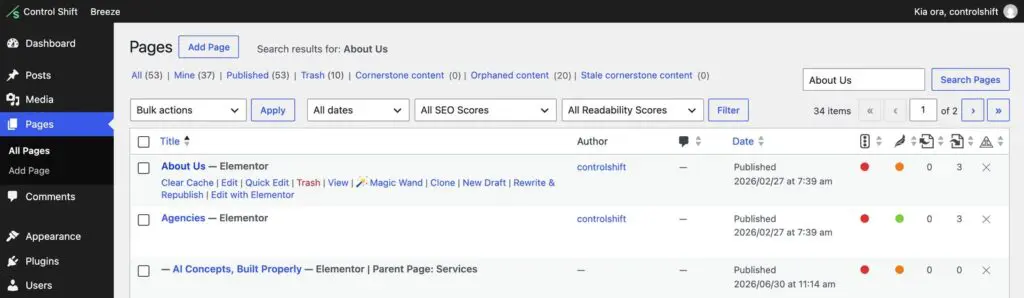
- Go to Pages and hover over a page with a layout close to what you want.
- Click New Draft (or Clone). You’ll get a copy saved as a draft, so the original page isn’t touched. Don’t see those links? Let us know and we’ll add them.
2. Make it your own
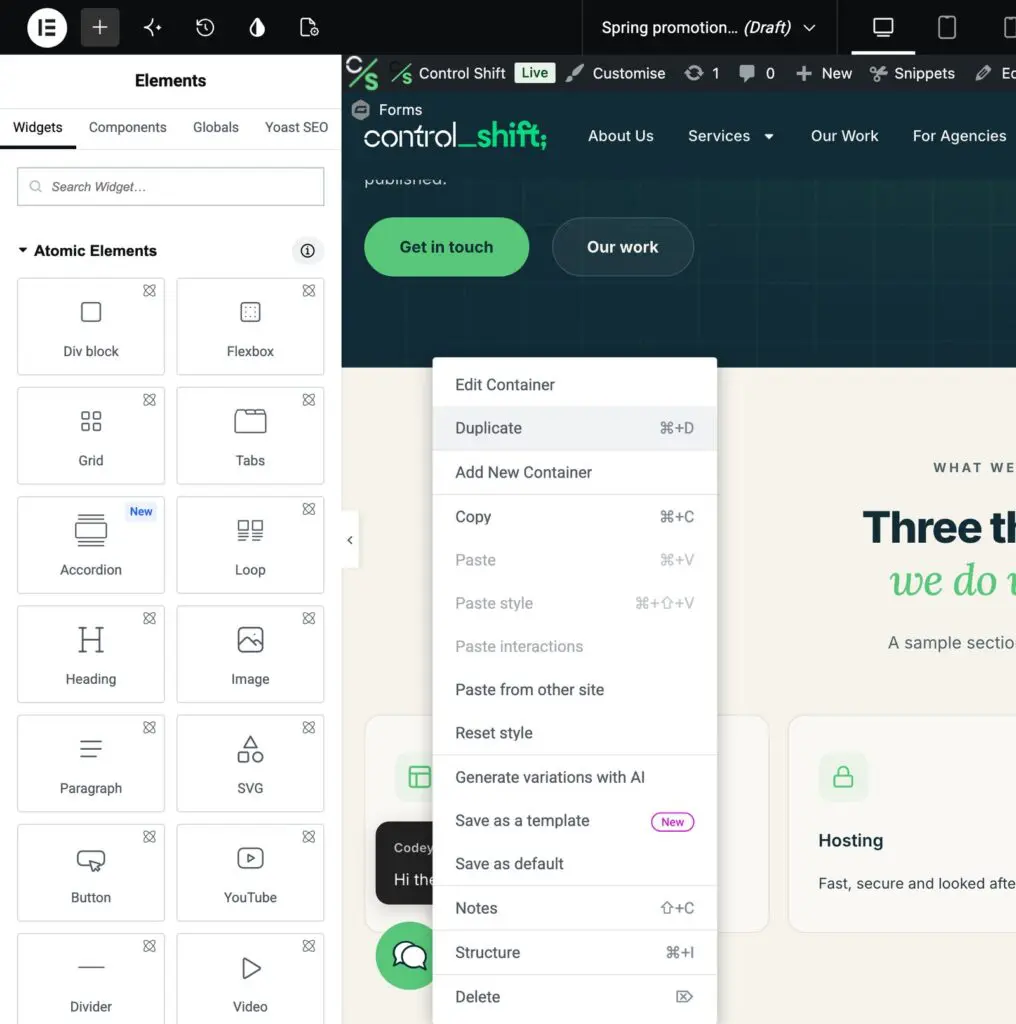
- Hover over the copy and click Edit with Elementor.
- Change the headline, words and pictures to suit your promotion.
- Remove anything the page doesn’t need: right-click the section and choose Delete. Need another of something? Choose Duplicate.
- Keep one clear call to action, like Book now or Get a quote, and repeat it down the page.
3. Give it its own address and title
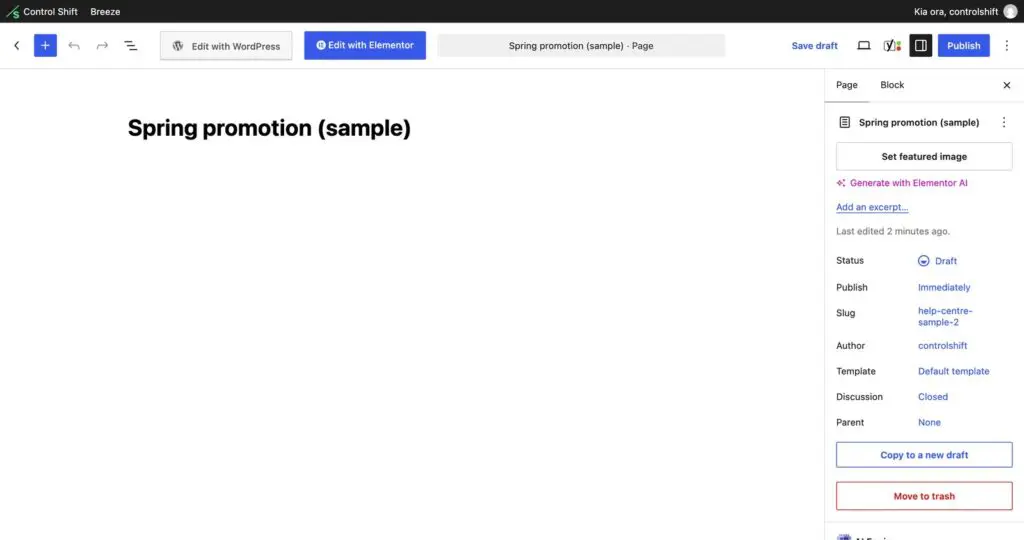
In the WordPress editor, open the Page settings on the right. Change the title at the top, and the Slug, which is the end of the web address. For example, a slug of spring-promotion makes the page yourbusiness.co.nz/spring-promotion/. If your site uses Yoast SEO, set the SEO title and description in the Yoast box too.
4. Optional: hide the menu for ad campaigns
For a page you’ll send ad traffic to, fewer distractions usually means more enquiries. Under Template, choosing Elementor Canvas removes your header and footer completely. Only do this if the page has its own way to get in touch, such as a form or a phone number, and check it on your phone before publishing.
5. Publish and share
New pages aren’t added to your menu automatically, which is usually what you want for a landing page: share the link in your ad, email or social post instead. If it’s a short-term campaign page that repeats another page’s content, you can also hide it from Google in Yoast under Advanced. Not sure? Ask us and we’ll set it up with you.