Some pages are meant for the people you send them to, not for Google: a staff-only form, a thank-you page or a campaign page. You can keep them live but out of search results.
Hide a page or post
- Open the page or post in the WordPress editor.
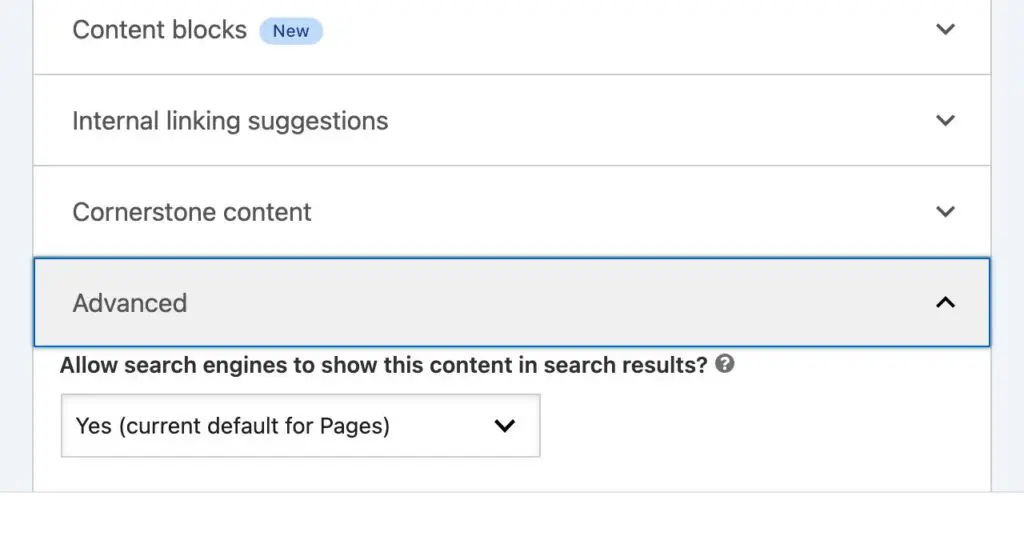
- Scroll to the Yoast SEO box and open the Advanced section.
- Under Allow search engines to show this content in search results?, choose No.
- Click Update.
If the page is already in Google, it disappears the next time Google visits it, which can take from a few days to a few weeks.
Hiding a PDF
Yoast can’t hide PDFs. If nobody needs the file any more, delete it from Media and remove any links to it. If it needs to stay available, send us a support request and we’ll tell Google to leave it out of search results.
Need it gone from Google urgently?
Google Search Console has a Removals tool that hides a page from results within about a day. Send us a support request and we’ll do it with you.
The setting to avoid
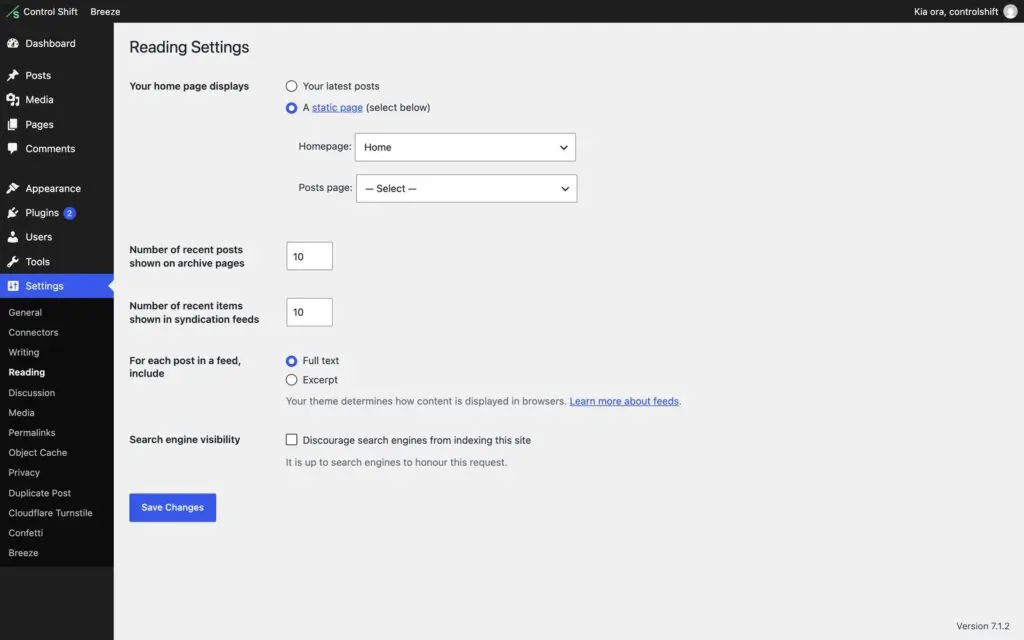
Under Settings, then Reading, there’s a box called Discourage search engines from indexing this site. It hides your whole website, not one page. Leave it unticked.