
Two small things help Google understand each page and help people choose your result: one clear main heading, and a good description.
One main heading per page (the H1)
Every page should have exactly one main heading, called an H1, saying what the page is about. It’s usually the big heading at the top. Section headings below it are H2, and smaller ones inside those are H3.
- Elementor: click the heading and set HTML Tag to H1, H2 or H3.
- Divi: in a Heading module, choose the level under Heading Level. In a Text module, use the heading format in the toolbar.
- WPBakery: in a Custom Heading element, set the Element tag.
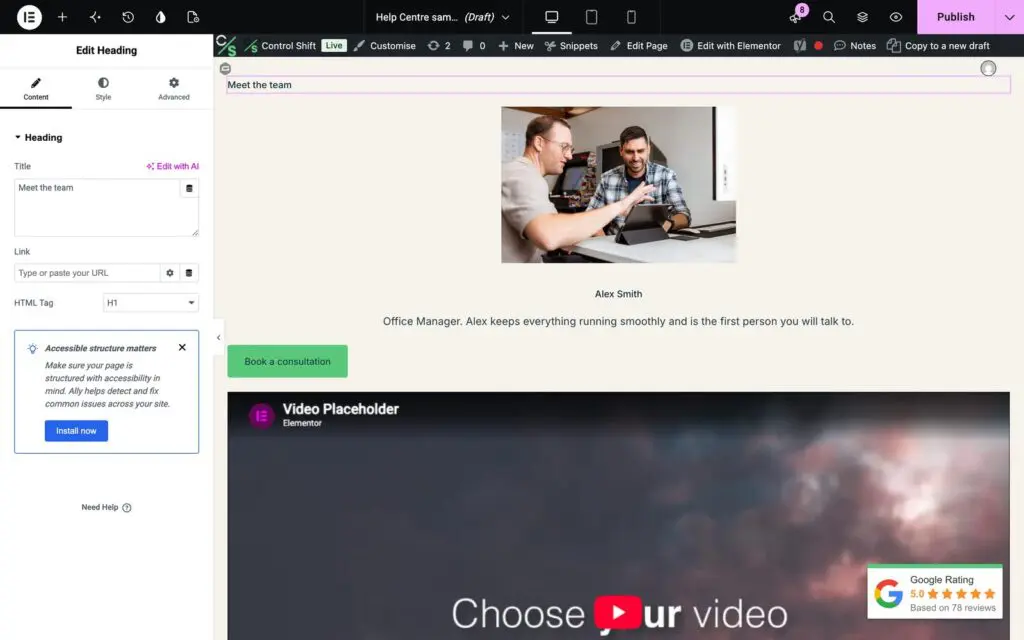
Pick the level by importance, not by how big you want the text to look. You can change the size separately in the style settings.
Write a meta description
- Open the page in the WordPress editor.
- Find the Yoast SEO box and click Edit snippet (or open the SEO tab).
- Fill in the Meta description: one or two sentences, under about 155 characters, saying what’s on the page and why it’s useful. Include the words people would search for.
- Check the SEO title above it while you’re there.
- Click Update.
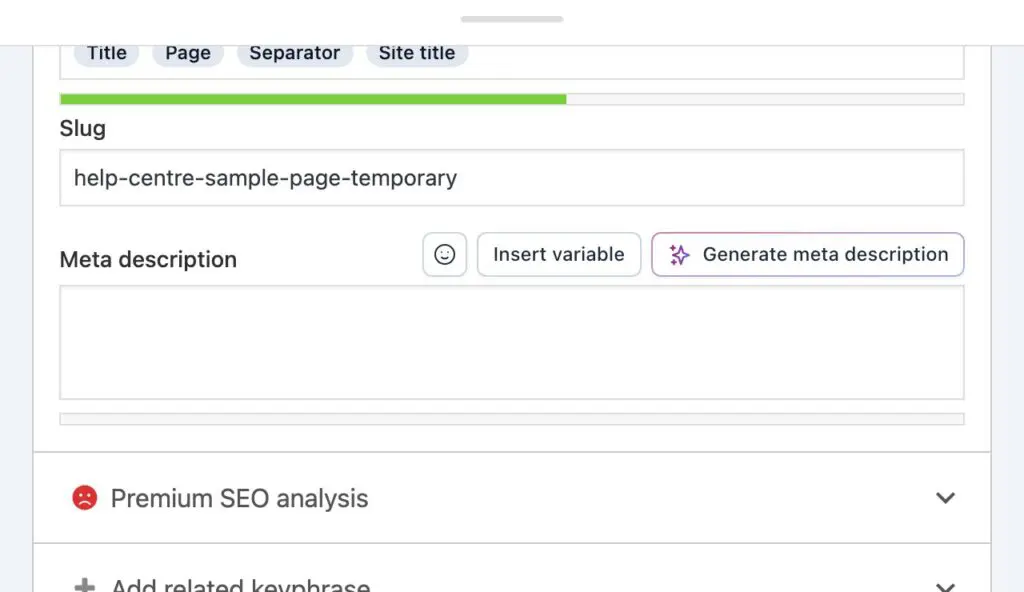
Google sometimes writes its own description instead, but a good one is used most of the time and can earn you more clicks.
Want a hand with your most important pages? Send us a support request and we’ll go through them with you.